How to personalise or update your preferences
Modified on Wed, 14 Aug, 2024 at 3:19 PM
TABLE OF CONTENTS
Introduction
This article outlines how to select whether you enter Platform as your organisation or as your group (step 2) and also how to select your default home page (step 3).
Step-by-Step Guide
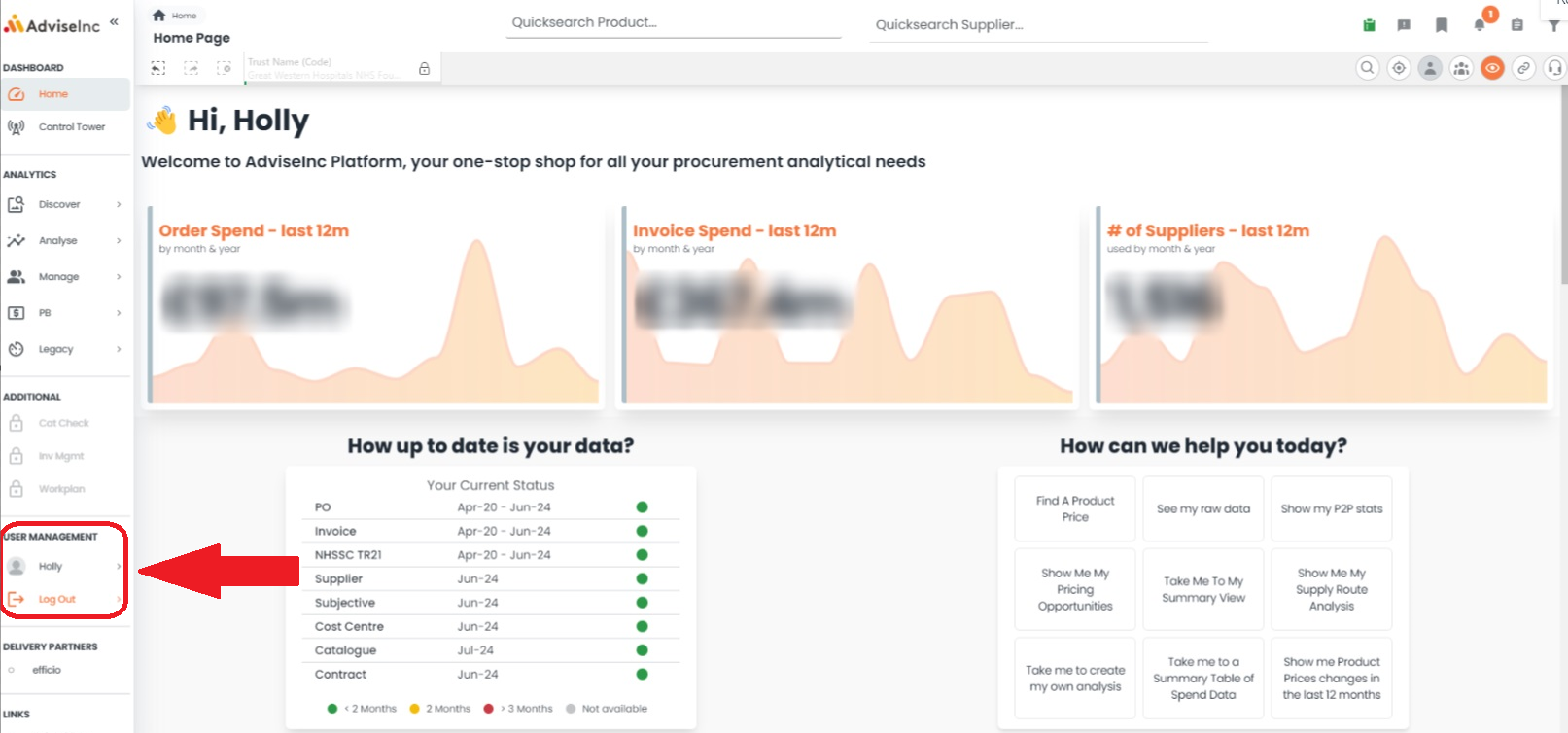
1. On the Left-hand navigation pain, head to the USER MANAGEMENT section, click on your name (Holly in the example below) and go to Preferences.
Selecting your default view - Org or Group
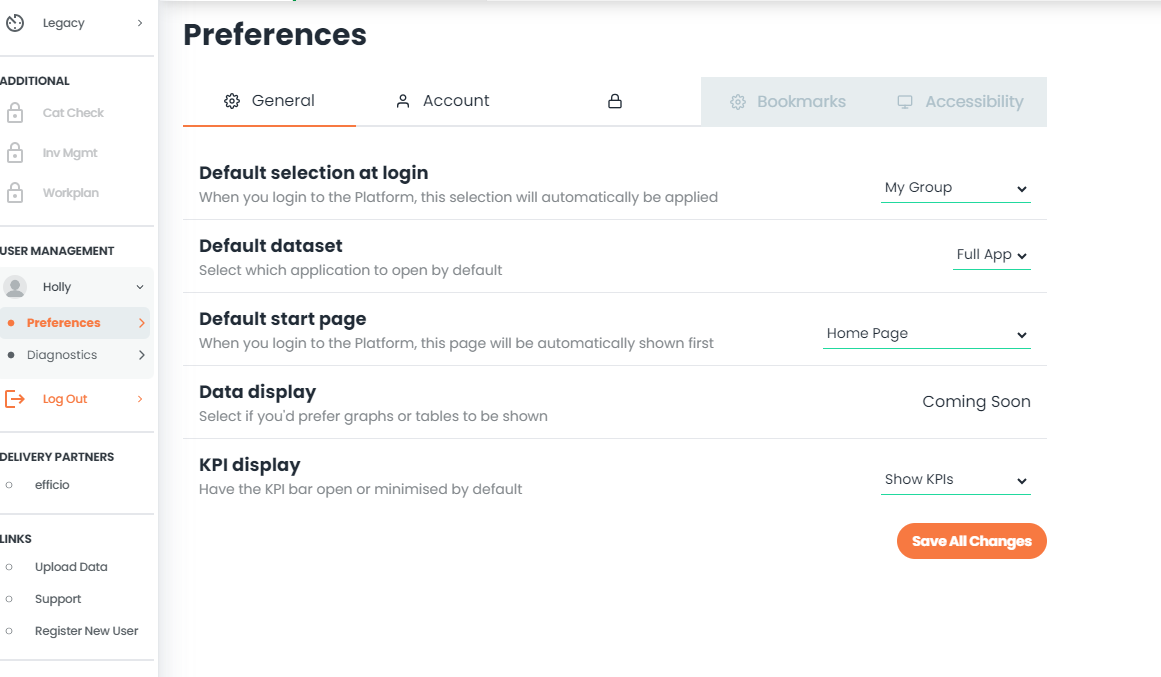
Under General, you’ll see ‘Default selection at login’. On the drop-down you can change between ‘My Org’ or ‘My Group’ as your default. Hit Save all options to store.
Selecting your default home page
Under General, you’ll see ‘Default start page’. On the drop-down, you can choose which page you would like to set as your home page as your default. Hit Save all options to store.
Selecting your default view - To show or hide KPIs
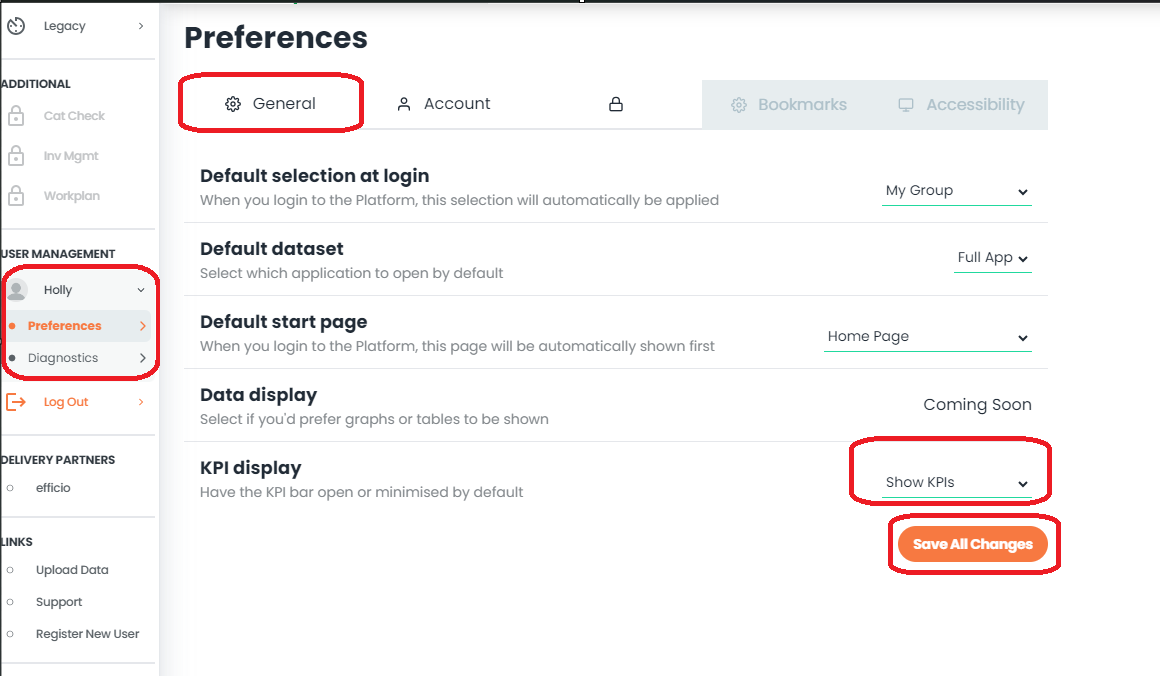
Under General, you’ll see ‘KPI display’. On the drop-down, you can choose whether to hide or show all Platform KPIs by default. Hit Save all options to store.
Notes And Tips
1. You can still select your organisation even if you choose to view my group as default - click here to see more
If you have any questions, please don’t hesitate to get in touch at support@adviseinc.co.uk or phone us on 0207 112 9222.
Was this article helpful?
That’s Great!
Thank you for your feedback
Sorry! We couldn't be helpful
Thank you for your feedback
Feedback sent
We appreciate your effort and will try to fix the article