How do I Reset my Password?
Modified on Fri, 4 Sep at 2:26 PM
TABLE OF CONTENTS
Introduction
This FAQ will cover how you can reset your password for the AdviseInc Platform.
Step-by-Step Guide
1. Head to the AdviseInc Platform homepage, here.
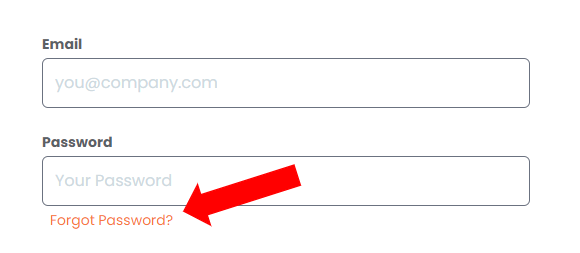
2. Click Forgot Password?
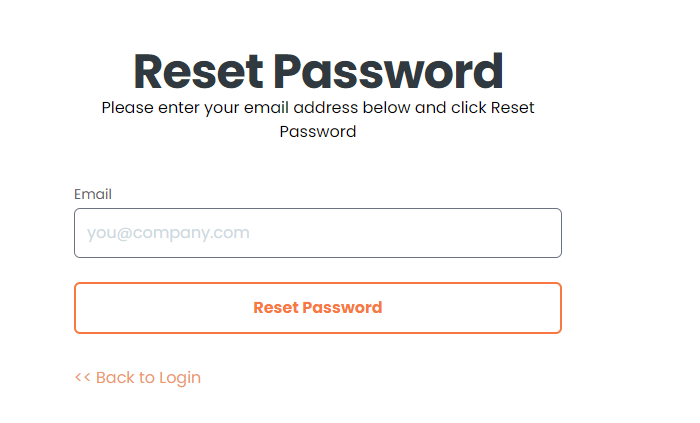
3. Enter your registered Platform Email Address, and click Reset Password.
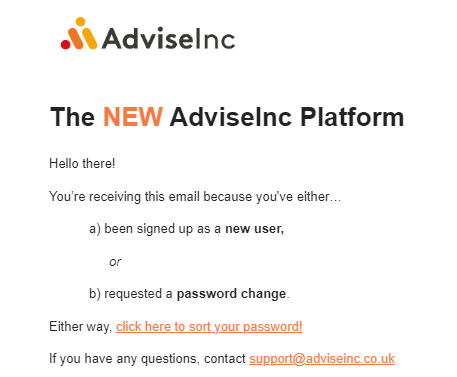
4. You will receive an 'AdviseInc Platform - Set Your Password' email from welcome@adviseinc.co.uk. Click the 'click here to sort your password!' link.
5. From here, enter and re-enter your new password, then click 'reset password.'
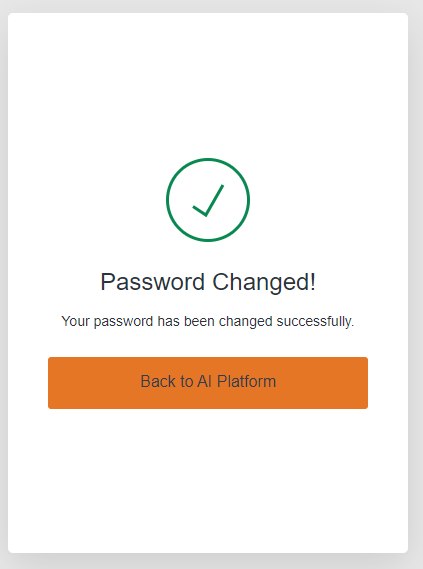
6. Your Password has been changed successfully, you can click 'Back to AI Platform' and log in with your new password.
Notes And Tips
- Enter your Platform registered email before clicking 'Reset Password.'
- If you do not receive the email, check your spam folder for an email from welcome@adviseinc.co.uk.
- To register for an account for you or a colleague please read more here.
If you have any questions, please don’t hesitate to get in touch at helphubrequest@necsws.com or phone us on 0207 112 9222.
Was this article helpful?
That’s Great!
Thank you for your feedback
Sorry! We couldn't be helpful
Thank you for your feedback
Feedback sent
We appreciate your effort and will try to fix the article